The connected platform

Built for the person on the lot

Out on the lot. Already in the workflow.

Find a unit on your phone, take or select its photos, and send the set for review. Give the person on the lot a focused job and the reviewer a clear handoff.

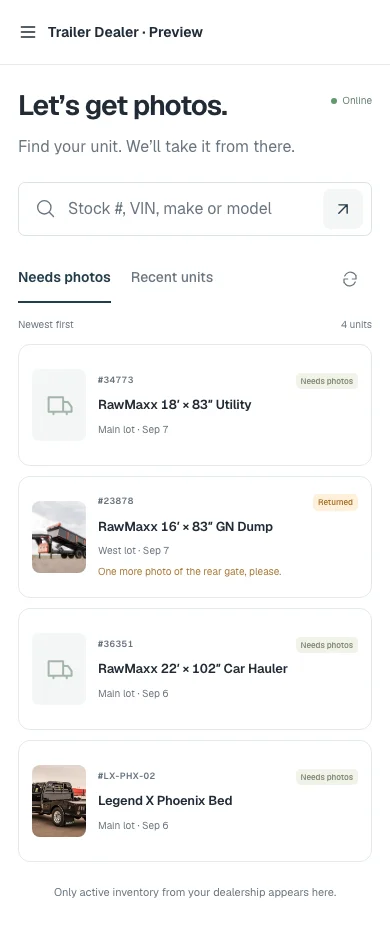
HitchStack Yard on a phone showing a stock search box and a list of demo units that need photos, including one returned with a reviewer note.
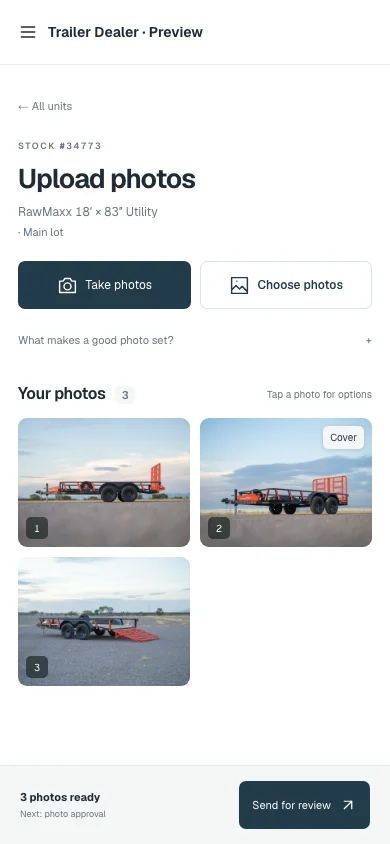
HitchStack Yard on a phone: the upload-photos screen for demo stock number 34773 with Take photos and Choose photos buttons, three manufacturer trailer photos and a Send for review action.

Product interface previews · Real trailer photos and illustrative stock · Sept 24, 2026 demo captures

Built into the workflow

  1. 01

    Find the unit.

    Start with the units that need photos, recent inventory, or a search by stock number, VIN, make or model.

  2. 02

    Capture the photo set.

    Use the camera or choose photos from the phone. The set stays attached to the right unit, with a cover photo and an order.

  3. 03

    Send it for review.

    An authorized reviewer approves the set or requests changes with a note. The listing still needs its required details before it can publish.

On the lot

Find the unit, then capture the set.

Units that need photos come first. A set that was sent back shows the reviewer’s note, so the person on the lot knows exactly what to retake.

  • Needs-photos queue and stock search
  • Take photos or choose from the phone
  • Cover photo, order and count before sending
HitchStack Yard on a phone showing a stock search box and a list of demo units that need photos, including one returned with a reviewer note.
HitchStack Yard on a phone: the upload-photos screen for demo stock number 34773 with Take photos and Choose photos buttons, three manufacturer trailer photos and a Send for review action.

The review

A real checkpoint before anything publishes.

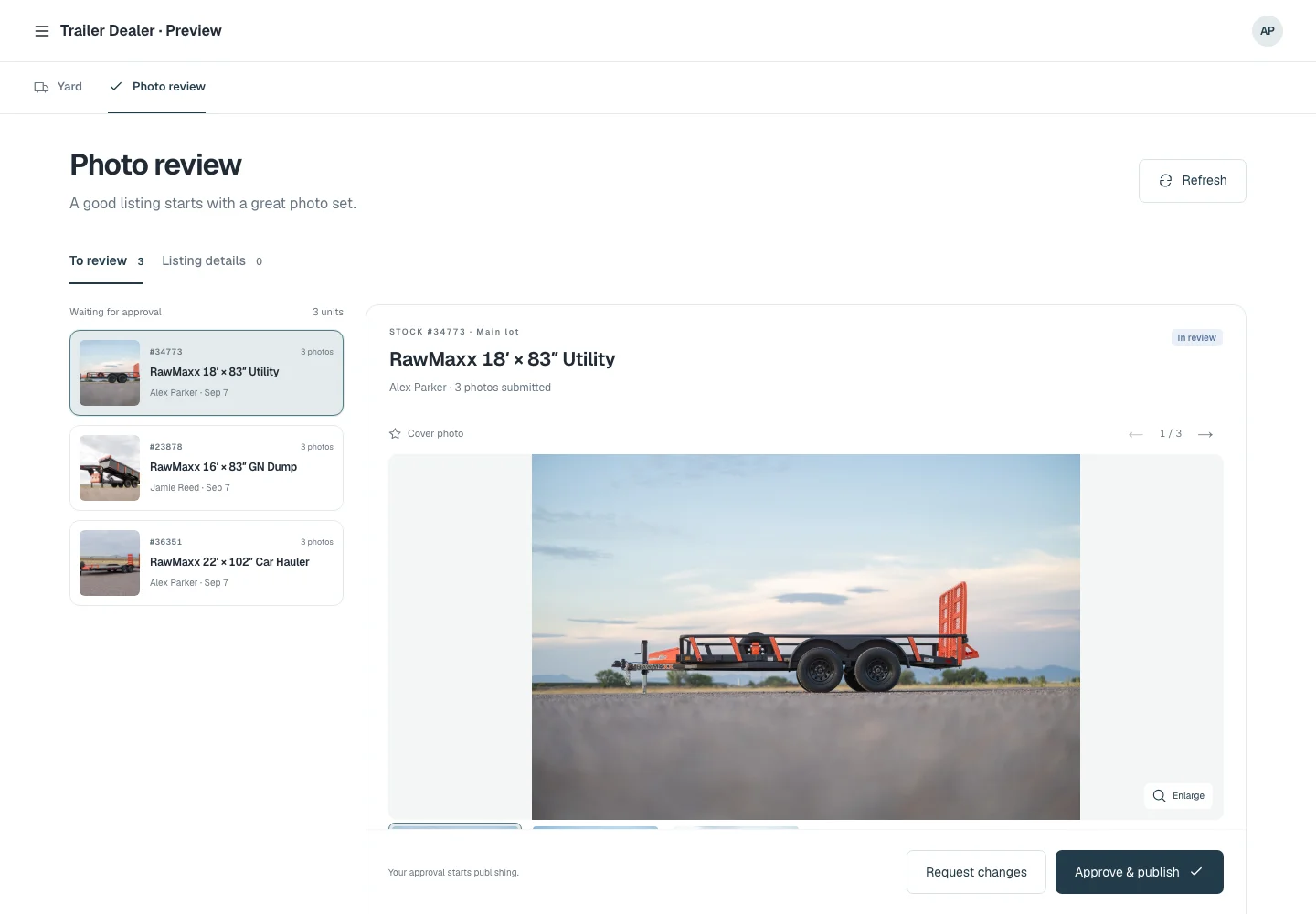
A reviewer sees the queue, the photos and the unit. Approving moves the set toward the listing; requesting changes sends it back with a note.

Approval is not automatic publication. The required listing details still apply before the unit can go live on the website.

Yard · Photo review
HitchStack photo review screen with three demo units waiting for approval, the selected unit’s cover photo, and Request changes and Approve & publish controls.
Product interface preview · Illustrative data · Sept 24, 2026 demo capture

Where it connects

The photo work feeds Inventory and the dealer website without losing the unit it belongs to.

Approved photos land on the unit record. Once the listing’s required details are complete, it can publish to the dealer website, and the inquiry that follows carries the same unit into CRM.

What to expect

Yard is the phone photo workflow within the connected platform, not a separate subscription or an app-store product. Device and upload-recovery acceptance on the dealer’s chosen phones is part of setup.

Guaranteed offline operation is not advertised.

Talk to HitchStack

Let’s talk about the way your dealership works.

Walk through your inventory, website and sales process, or bring us the workflow you want to improve.