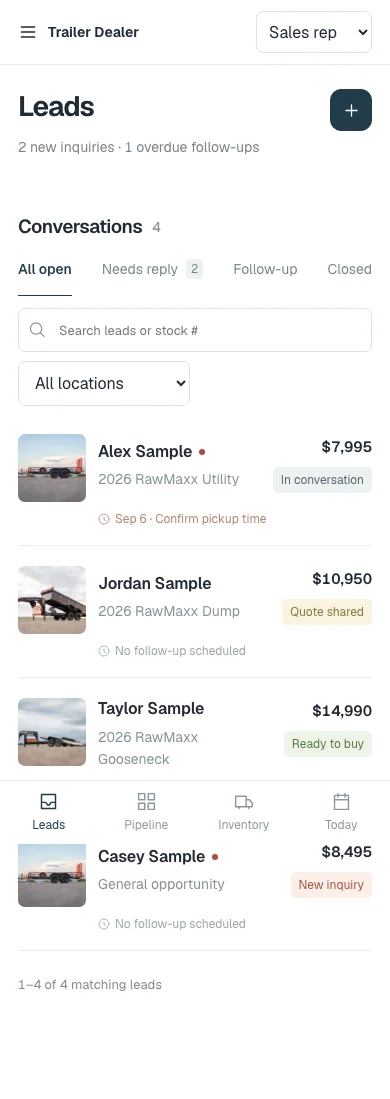
01 · Salesperson
Start with the customer, the unit and the next action.
Inquiries needing a reply, follow-ups that are due and the trailer each customer asked about, on a phone or at the desk.

Software for trailer & equipment dealers
Inventory, dealer websites and CRM that work together. Built around the way your dealership actually sells.
For trailer dealers, truck-bed dealers and installers, upfitters and related equipment businesses.
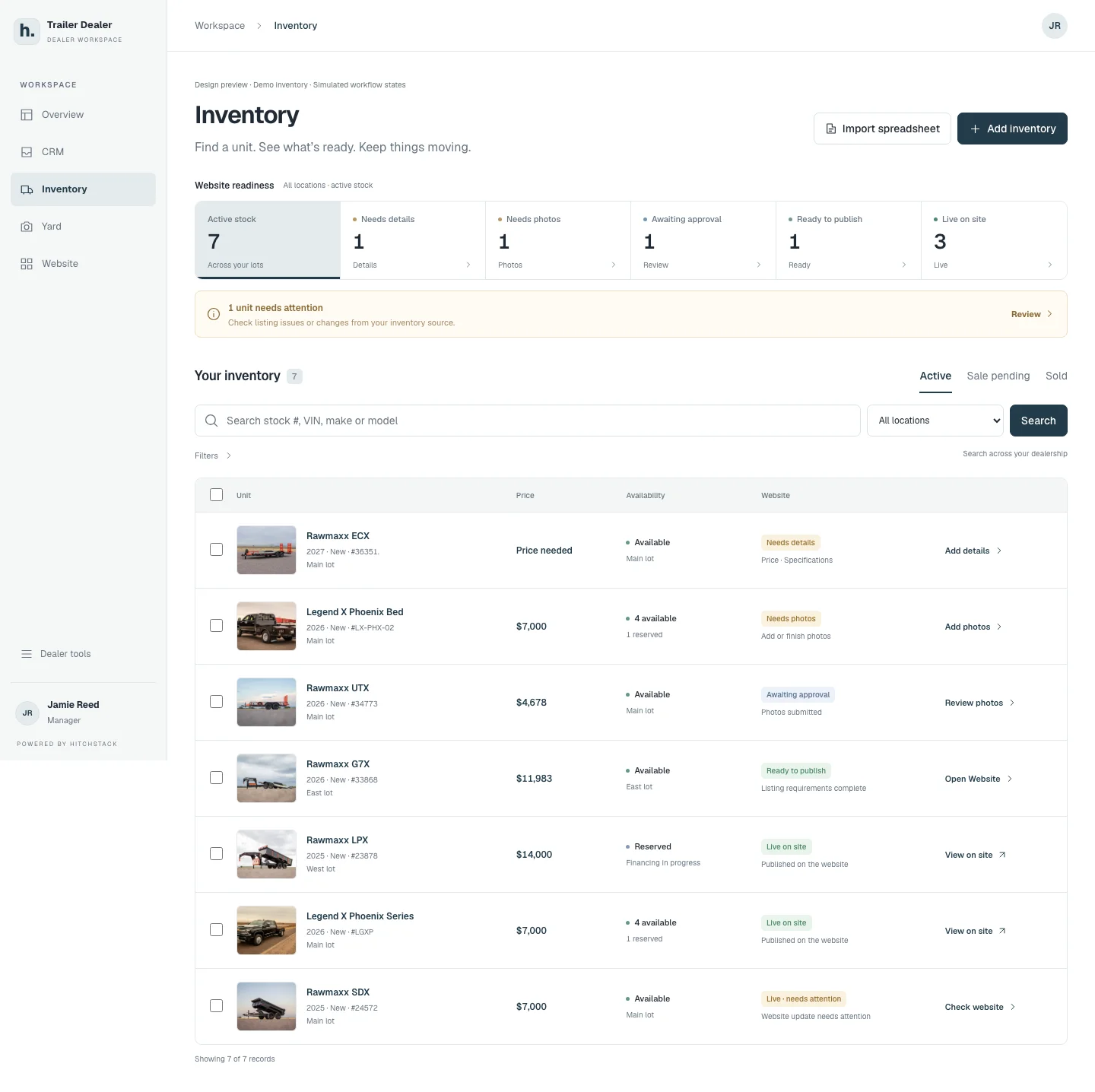
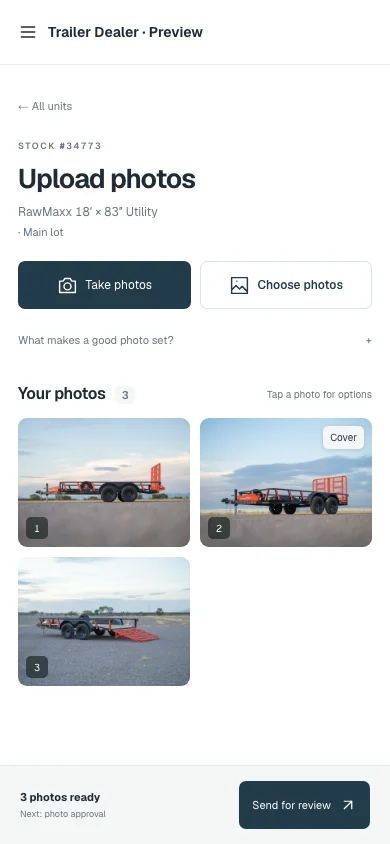
Stock #34773 · the same unit, from the lot to the listing
Product interface preview · Illustrative data · September 2026 review captures
Built around
the dealership day.
The connected platform
Keep the unit, the listing and the customer conversation connected. Give every person a clear place to work and a useful next step.
Inventory
Keep units, photos, pricing, availability and website readiness together, with a clear next action for each unit.
Explore Inventory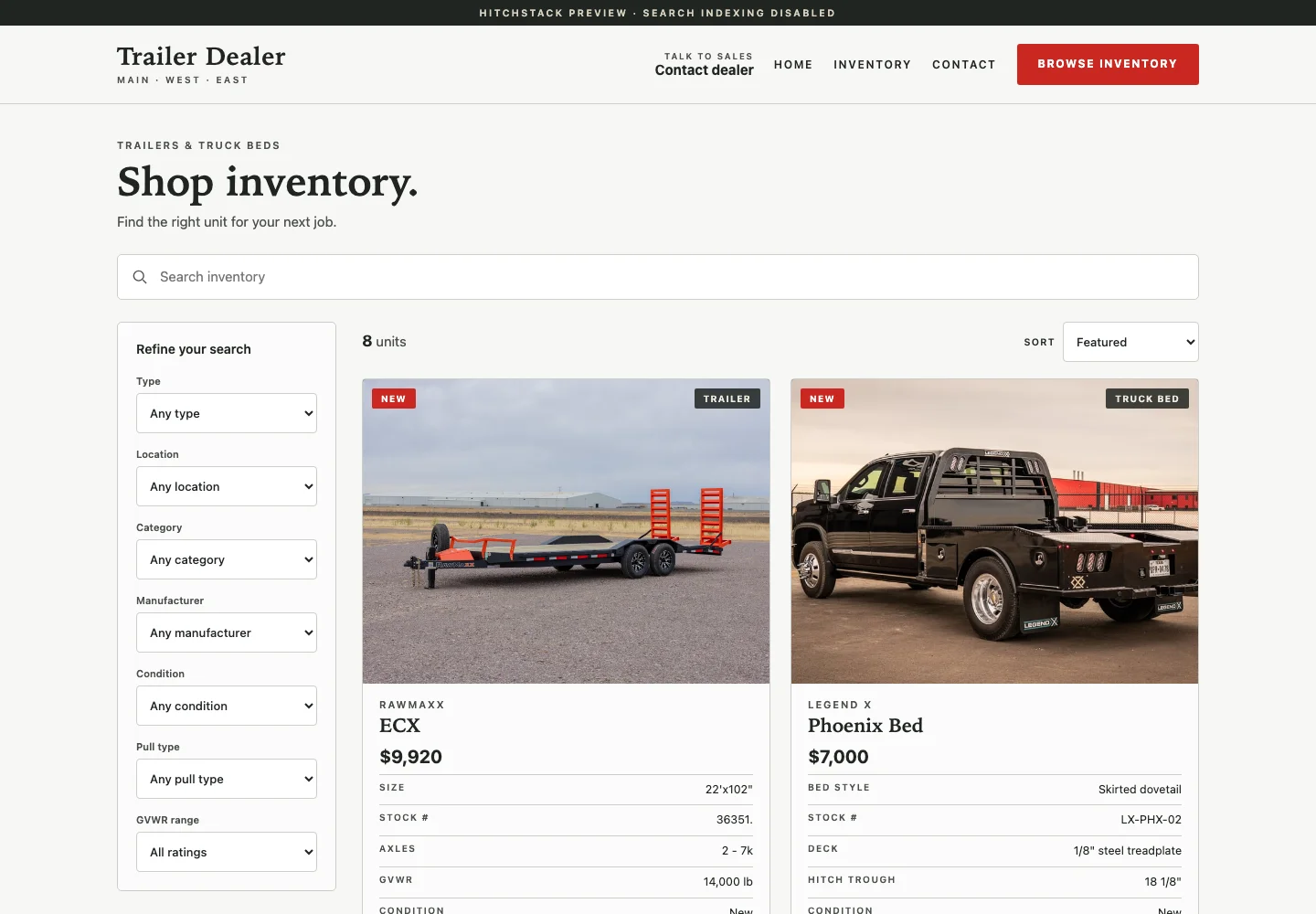
Dealer Websites
Give buyers a clear path from browsing published stock to asking about the right unit.
Explore Dealer Websites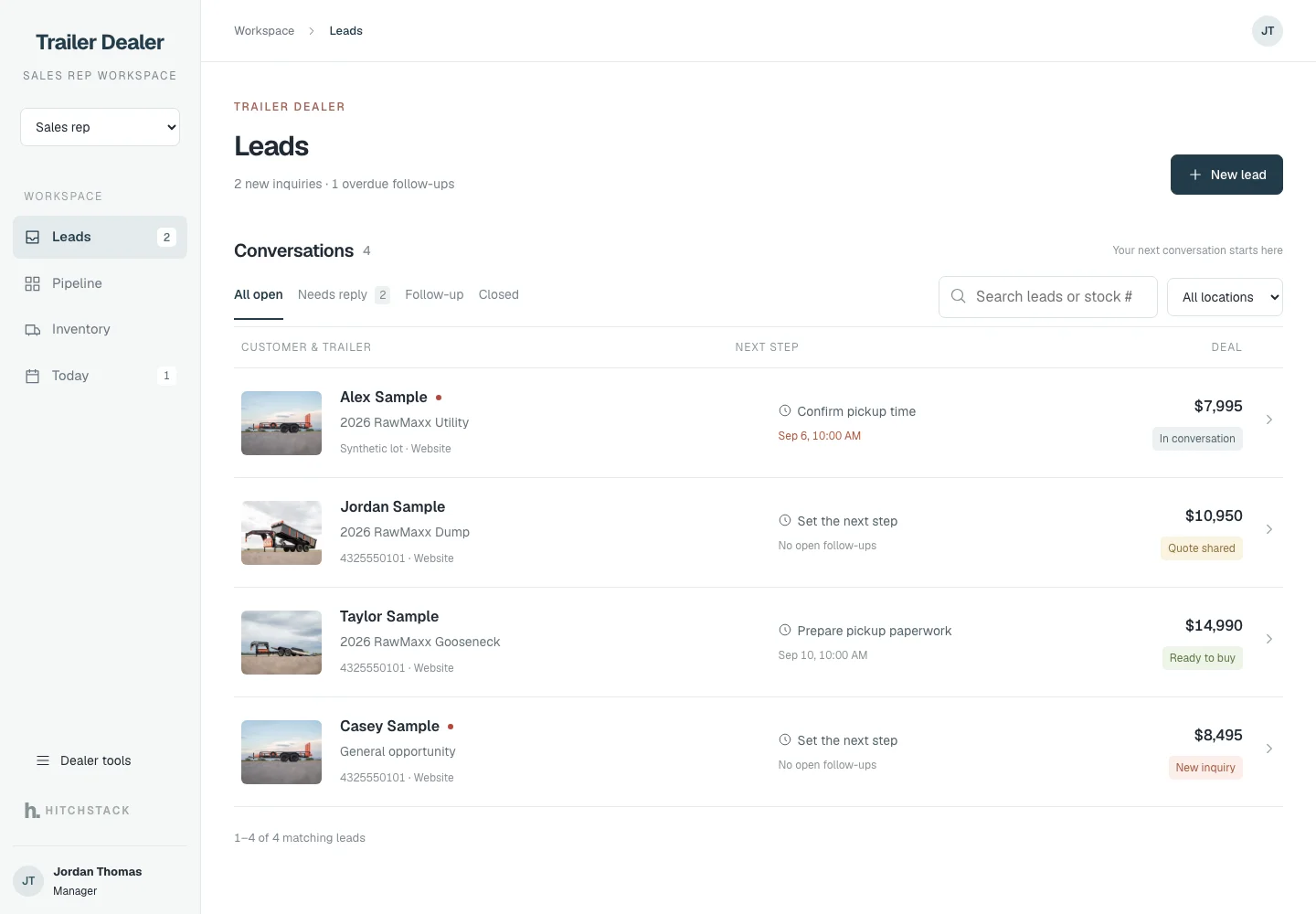
CRM
Connect the inquiry, the customer, the unit, the salesperson and the follow-up.
Explore CRM Yard
Find the unit, take or upload its photos, and send the set for review.
Explore YardProduct interface previews · Illustrative data · Use any Enlarge control to open the original September 2026 review capture.
How it works
Less piecing the story together from three systems and somebody’s phone. More knowing where things stand.
Add inventory or review a spreadsheet import, with the unit and its location clearly identified.
InventoryCapture photos on the lot, review the set and complete the required details.
YardPresent the approved listing on a branded dealer website built on your published stock.
Dealer WebsitesGive the sales team the customer’s question and the unit they asked about, together.
CRMTrack responsibilities and progress through finance, pickup, delivery or installation as configured.
CRM
Each step is carried out by your team. Approvals, milestones and handoffs are recorded so the next person can see them. Nothing moves money or messages a customer on its own.
Salespeople and managers
Give salespeople a focused workspace for customer context and follow-ups. Give managers a wider view of ownership, pipeline and work needing attention.
01 · Salesperson
Inquiries needing a reply, follow-ups that are due and the trailer each customer asked about, on a phone or at the desk.
02 · Manager
Ownership, overdue follow-ups, unassigned leads and where open deals stand, without crowding the salesperson’s day.
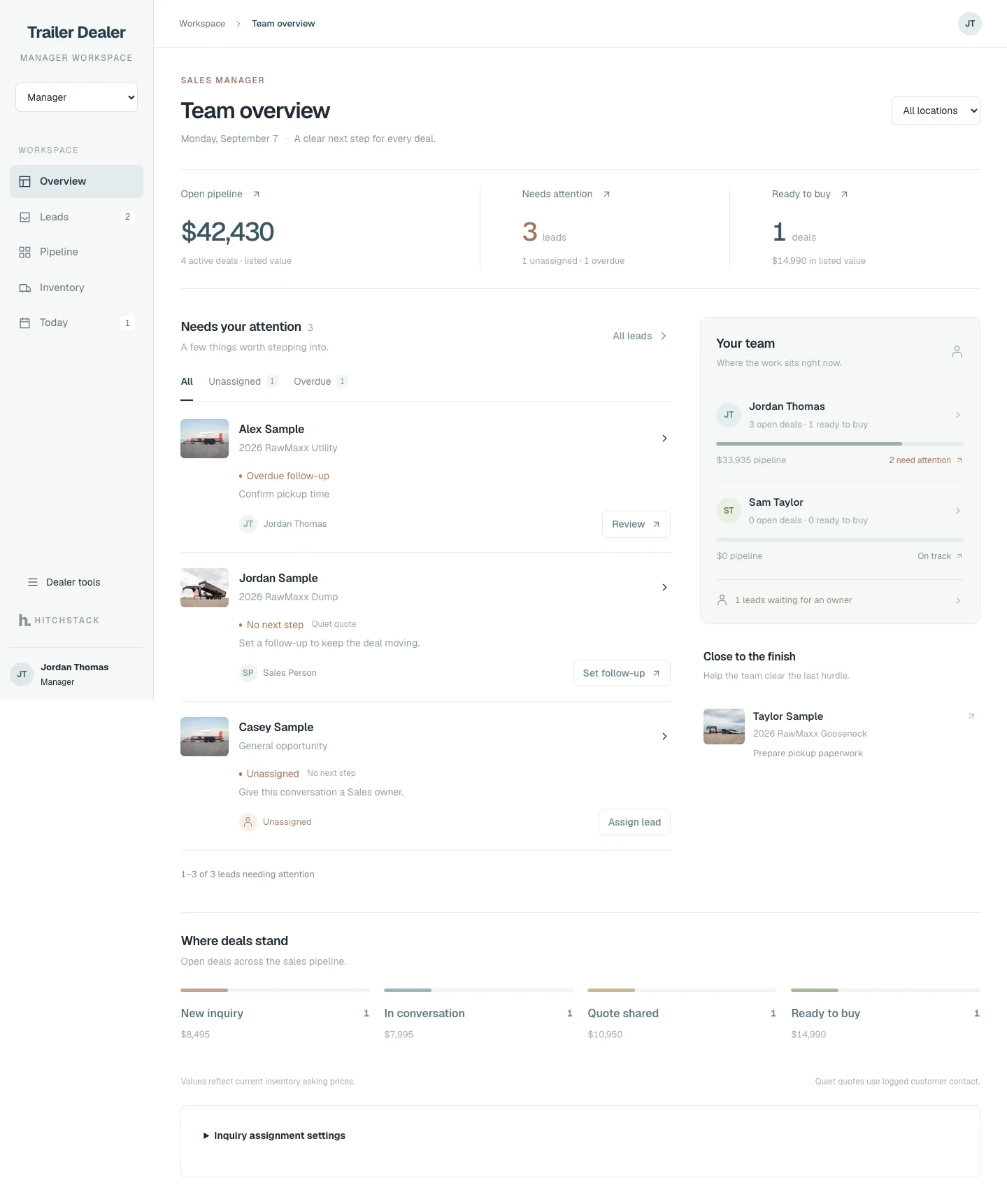
Product interface previews · Synthetic customers and deal values · Sept 24, 2026 demo captures
Custom websites & software
HitchStack also builds custom websites and software for dealerships and equipment businesses. From a stronger online showroom to an internal tool for your team, start with the way your business needs to work.
A stronger online showroom built around what you sell, where you are and how customers reach you.
Work queues, job intake and handoffs that sales, shop and delivery staff can actually follow.
A clear place for customers, dealers or partners to find information and submit structured requests.
Scoped for dealerships and equipment businesses only. These are examples of work to discuss, not features included in every platform setup.
Questions
Start with what matters to your dealership. If your question is not here, ask it on the contact page.
Ask a questionHitchStack focuses on trailer dealerships, truck-bed dealers and installers, upfitters and related equipment businesses. The platform supports dealer inventory, websites and sales workflows. Custom projects address needs specific to your operation.
Yes. The custom-build conversation starts with your customers, your team and your existing process. Together we define whether a website, an internal tool or a connected workflow is the right project. See custom websites & software.
The inventory workflow includes spreadsheet import and review. Your source, fields, locations and update process are evaluated during setup. Any ongoing integration is scoped for the actual system rather than assumed.
We start by reviewing the tools and the data that needs to move between them. Access, supported interfaces and which system owns each record determine what can be connected.
No. It records milestones and progress so your team can coordinate the deal. Payment collection and lender submissions stay with your providers unless a separate integration is agreed and implemented.
No. Your staff owns customer communication. A reply can be drafted in the CRM, but a person reviews and sends it. Messaging-provider connections and external notifications need their own confirmed scope.
Tell us about your business, team and workflow. HitchStack can then discuss current product availability and the scope of your setup or custom project. There is no public price list.
Talk to HitchStack
Walk through your inventory, website and sales process, or bring us the workflow you want to improve.