The connected platform

A clearer sales day

Keep the conversation moving toward a sale.

Give your salespeople a focused place for customer context, unit details and the next follow-up. Keep responsibilities clear as the deal moves forward.

CRM · Leads
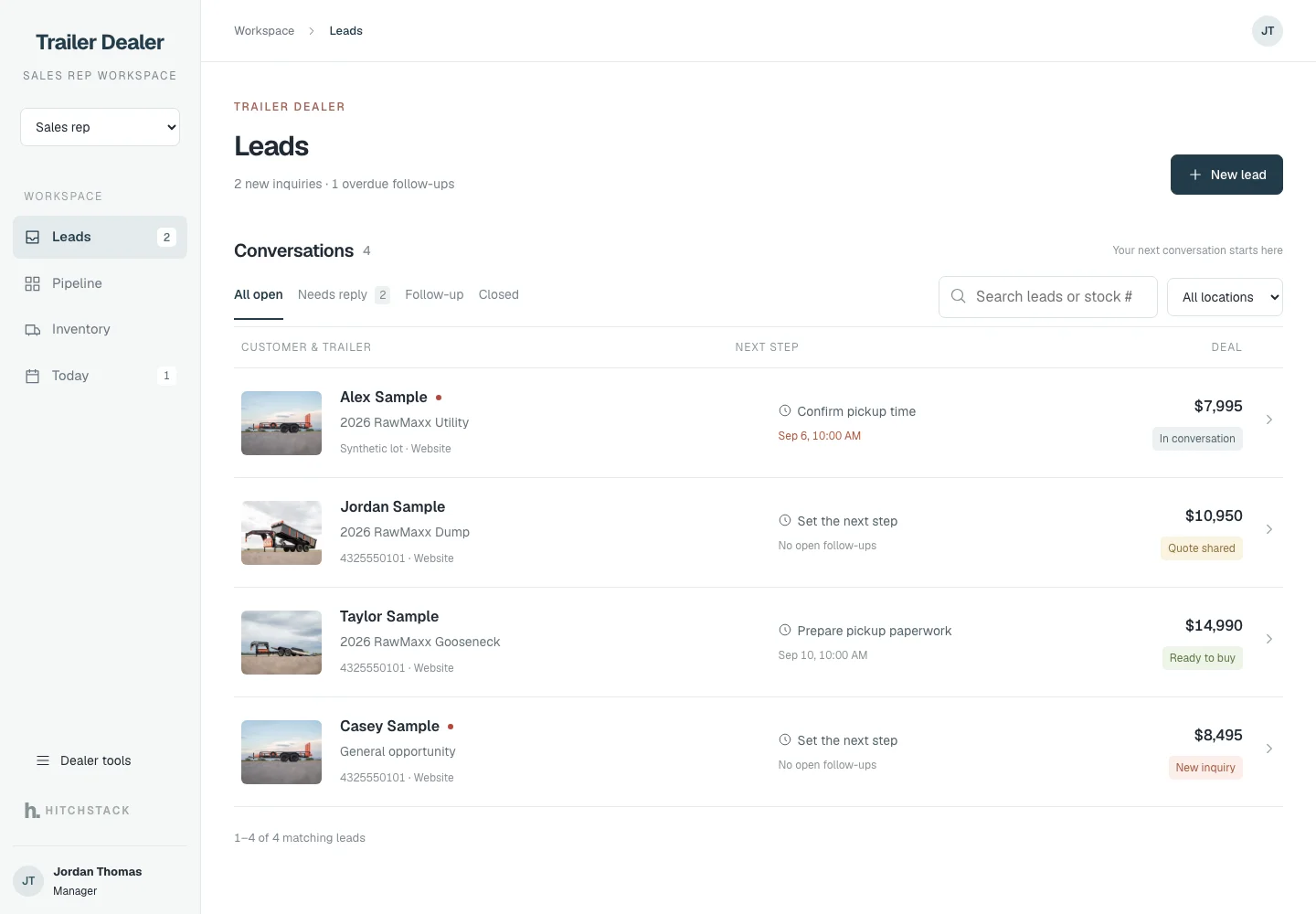
HitchStack CRM leads workspace for a synthetic dealer listing four customer conversations, the trailer each asked about, the next step and the deal stage.
Product interface preview · Illustrative data · Sept 24, 2026 demo capture
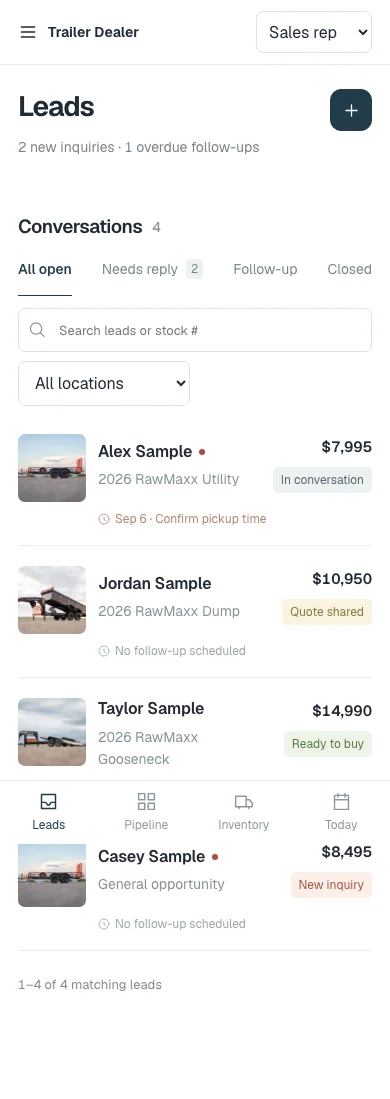
The HitchStack CRM leads list at phone width with synthetic conversations, follow-up reminders and a bottom navigation bar.
Product interface preview · Illustrative data · Sept 24, 2026 demo capture

Built into the workflow

  1. 01

    Start with what needs attention.

    See new inquiries, replies that are due and the next action for each conversation. Search for a customer or stock number without losing the work at hand.

  2. 02

    Keep the handoff clear.

    Track sales ownership, deal progress, reservations and the handoff to finance or fulfillment, so the next person knows what has already happened.

  3. 03

    Give managers a wider view.

    Review pipeline, responsibility and team follow-up without crowding the salesperson’s day.

The customer record

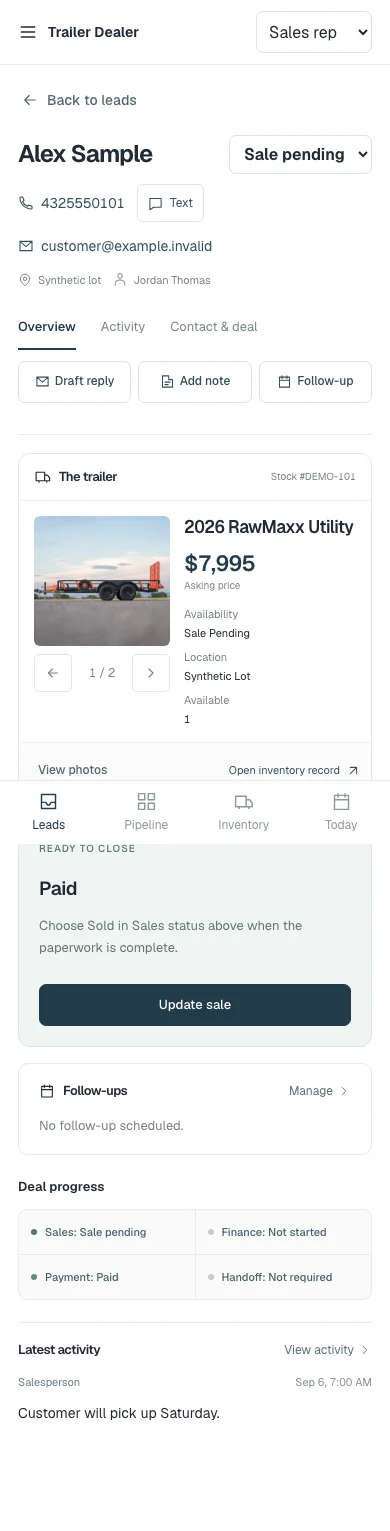
Customer, unit and deal in one place.

The trailer they asked about, the asking price, sales status, deal progress and the latest activity. Draft a reply, add a note or set a follow-up from the same screen.

  • The unit and its availability, next to the customer
  • Sales, finance, payment and handoff status in one row
  • A reply draft is reviewed and sent by a person
CRM · Customer
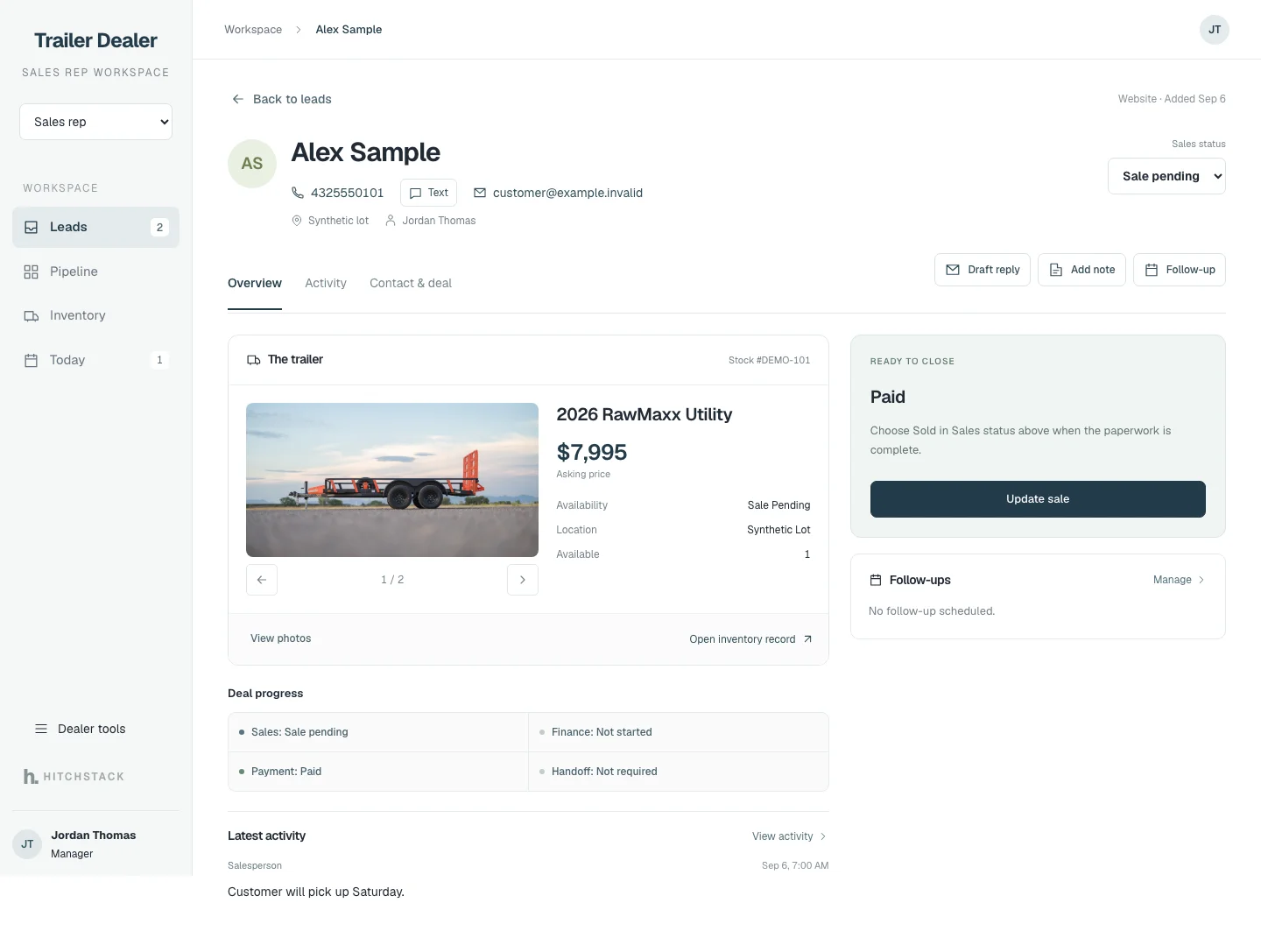
A HitchStack CRM customer record for a synthetic customer showing the trailer they asked about, sales status, deal progress, follow-ups and latest activity.
The same synthetic customer record at phone width with contact actions, the trailer card, deal progress and follow-ups stacked vertically.

Product interface previews · Synthetic customer and deal data · Sept 24, 2026 demo captures
Pipeline

See every open deal by stage.

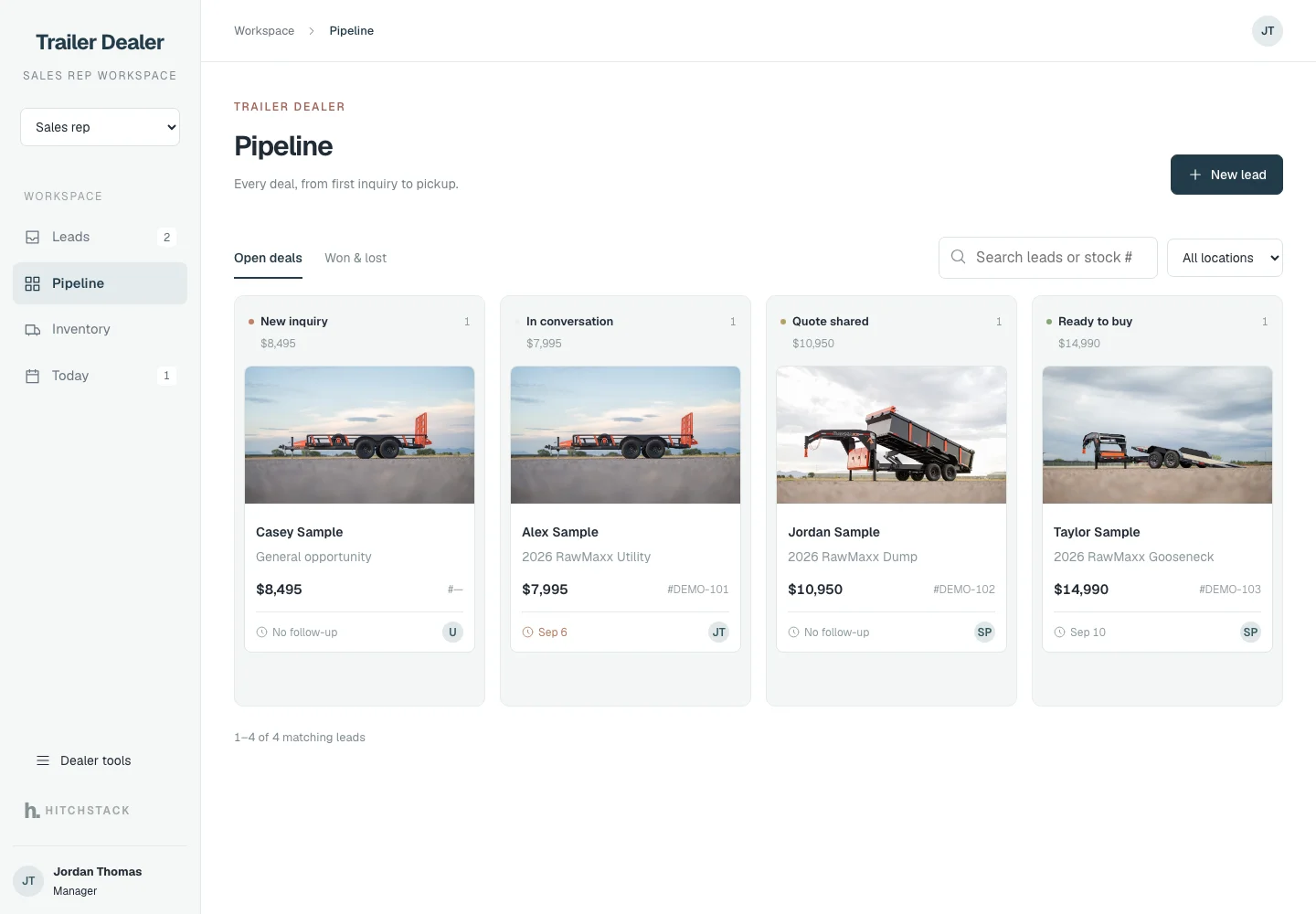
New inquiry, in conversation, quote shared, ready to buy. Each card shows the unit, the value and whether a follow-up is set, so a quiet deal is easy to spot.

CRM · Pipeline
HitchStack CRM pipeline board with four synthetic deals arranged in New inquiry, In conversation, Quote shared and Ready to buy columns.
Product interface preview · Illustrative data · Sept 24, 2026 demo capture

For managers

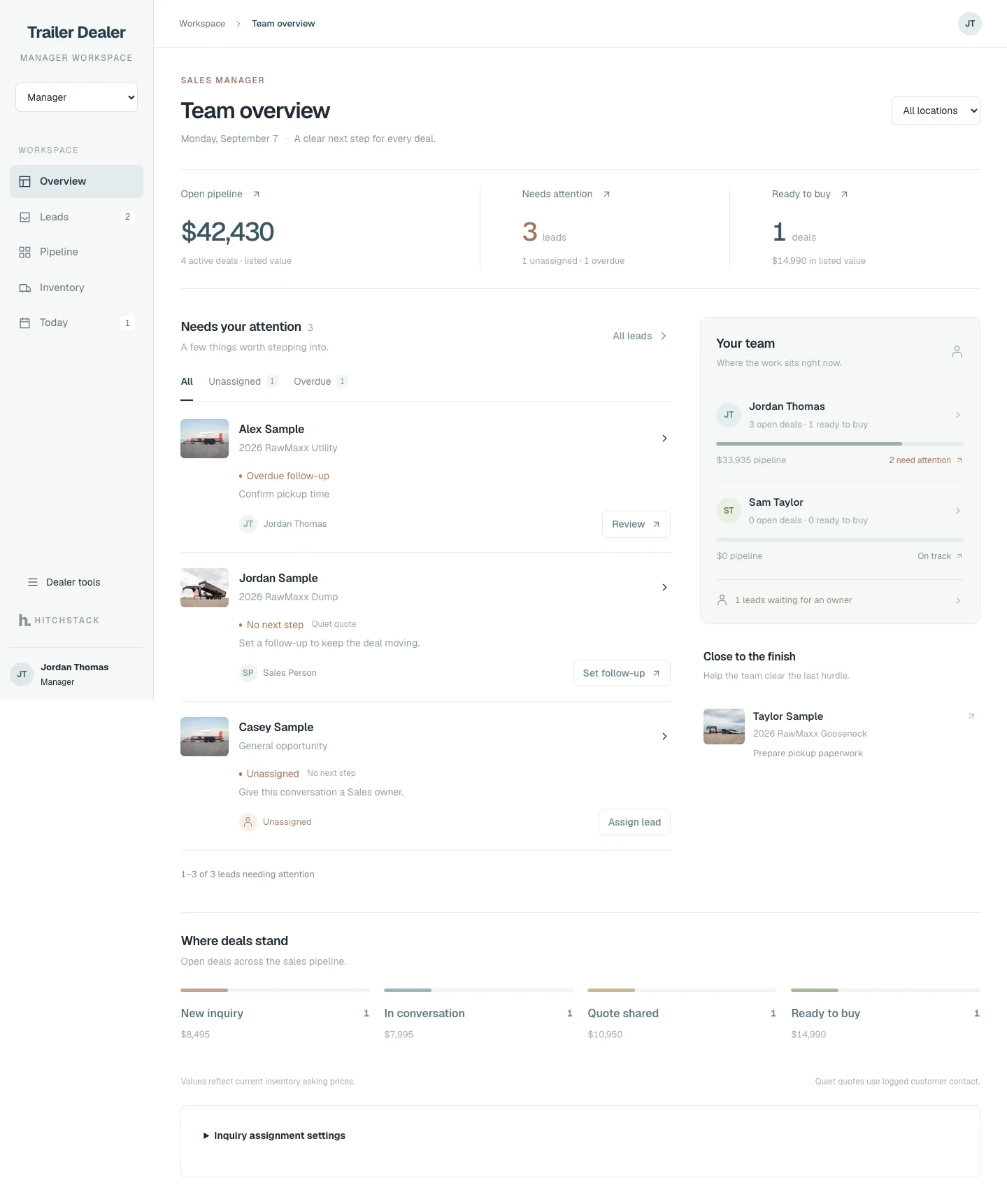
Where the work sits across the team.

Open pipeline, leads needing attention, unassigned inquiries and each salesperson’s load. Assign a lead or set a follow-up straight from the overview.

CRM · Team overview
HitchStack manager team overview with illustrative open-pipeline totals, leads needing attention, per-salesperson ownership and a where-deals-stand summary.
Product interface preview · Illustrative data · Sept 24, 2026 demo capture

Finance and fulfillment

Handoffs recorded, not lost.

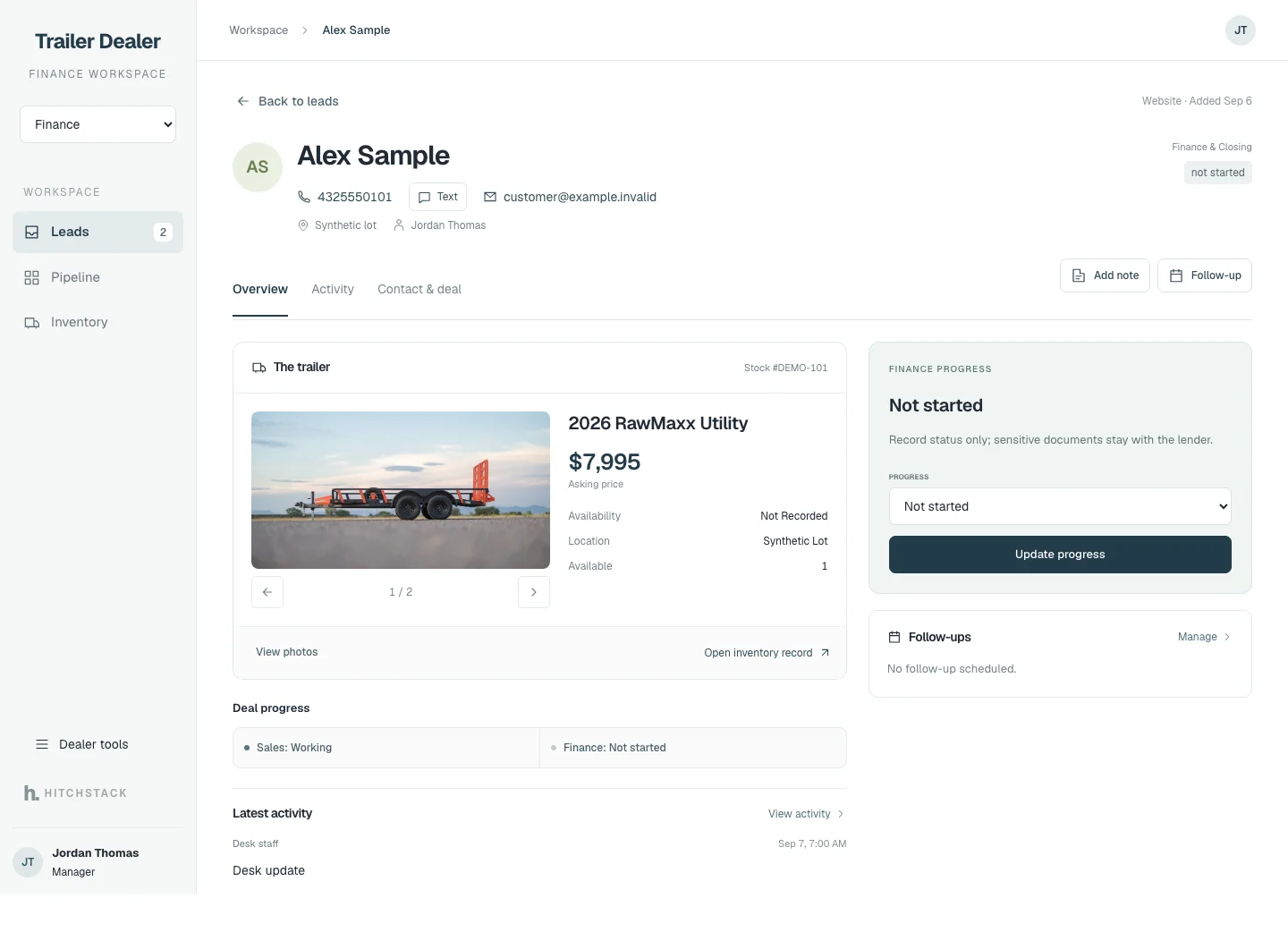
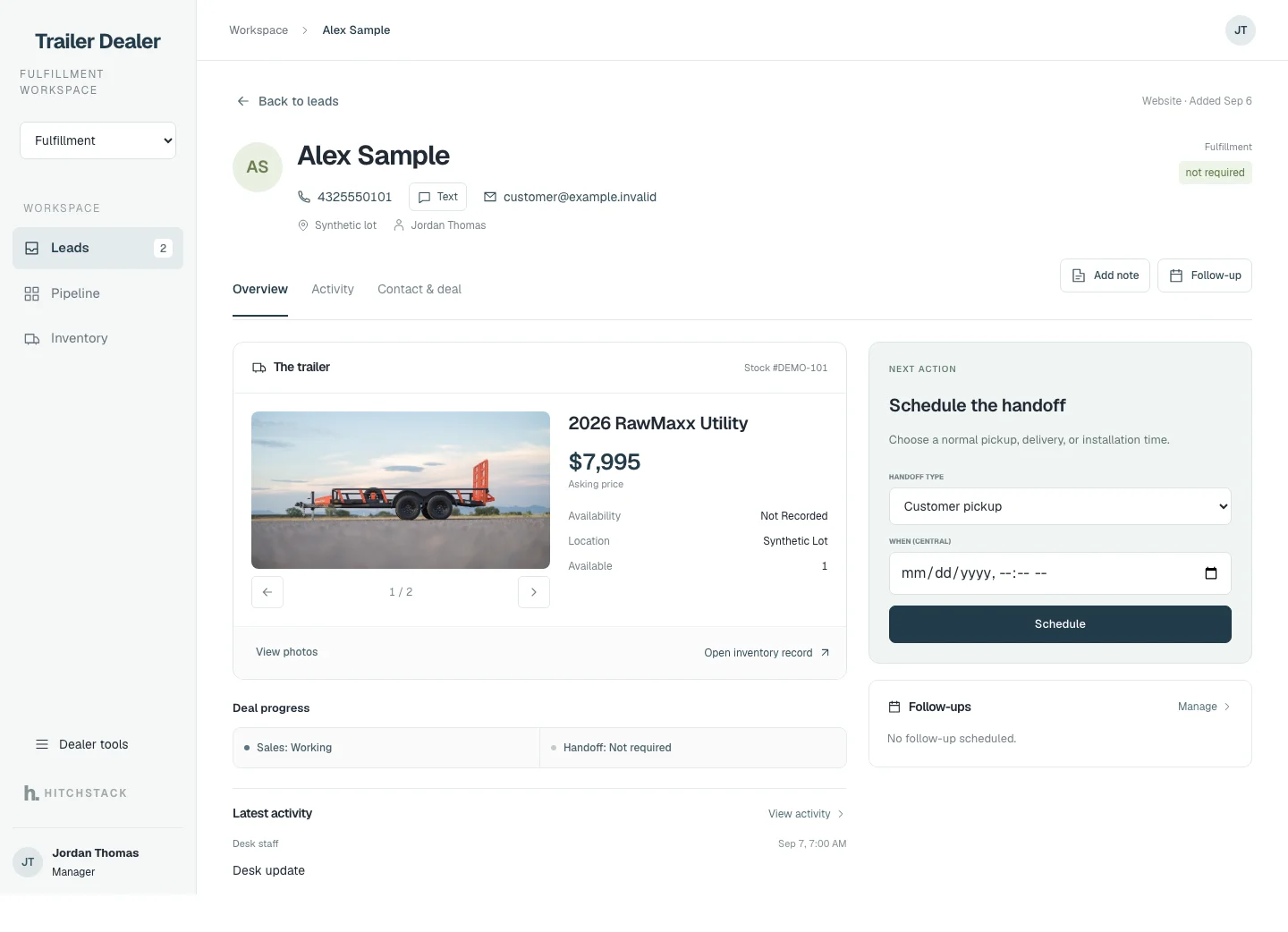
Finance progress is recorded as a status so sales, finance and the customer stay aligned; sensitive documents stay with the lender. Fulfillment schedules a pickup, delivery or installation time.

Neither screen collects a payment or submits an application. They record where the deal stands.

CRM · Finance workspace
HitchStack finance workspace for a synthetic deal showing a finance-progress status control and the note that sensitive documents stay with the lender.
CRM · Fulfillment workspace
HitchStack fulfillment workspace for a synthetic deal with a handoff scheduler for customer pickup, delivery or installation.

Product interface previews · Status recording only · Sept 24, 2026 demo captures

Where it connects

From the first inquiry to pickup or delivery, keep the customer and the unit in view.

Inquiries arrive from the dealer website with the unit attached. Reservations and completed sales connect back to inventory availability, so the lot and the pipeline tell the same story.

What to expect

Finance and payment screens record progress; they do not collect payments or submit lender applications.

Communication-provider connections and external notifications need their own confirmed scope. A reply draft is not a delivered message: a person reviews and sends customer communication.

Talk to HitchStack

Let’s talk about the way your dealership works.

Walk through your inventory, website and sales process, or bring us the workflow you want to improve.