
Custom websites & software
Built around the way your dealership works.
Custom websites, portals and software for trailer dealers, truck-bed businesses, upfitters and equipment companies. Start with the way your business operates. Build the right tools around it.
Customer-facing websites. Tools for your team. Connections between the two. For dealerships and equipment businesses only.
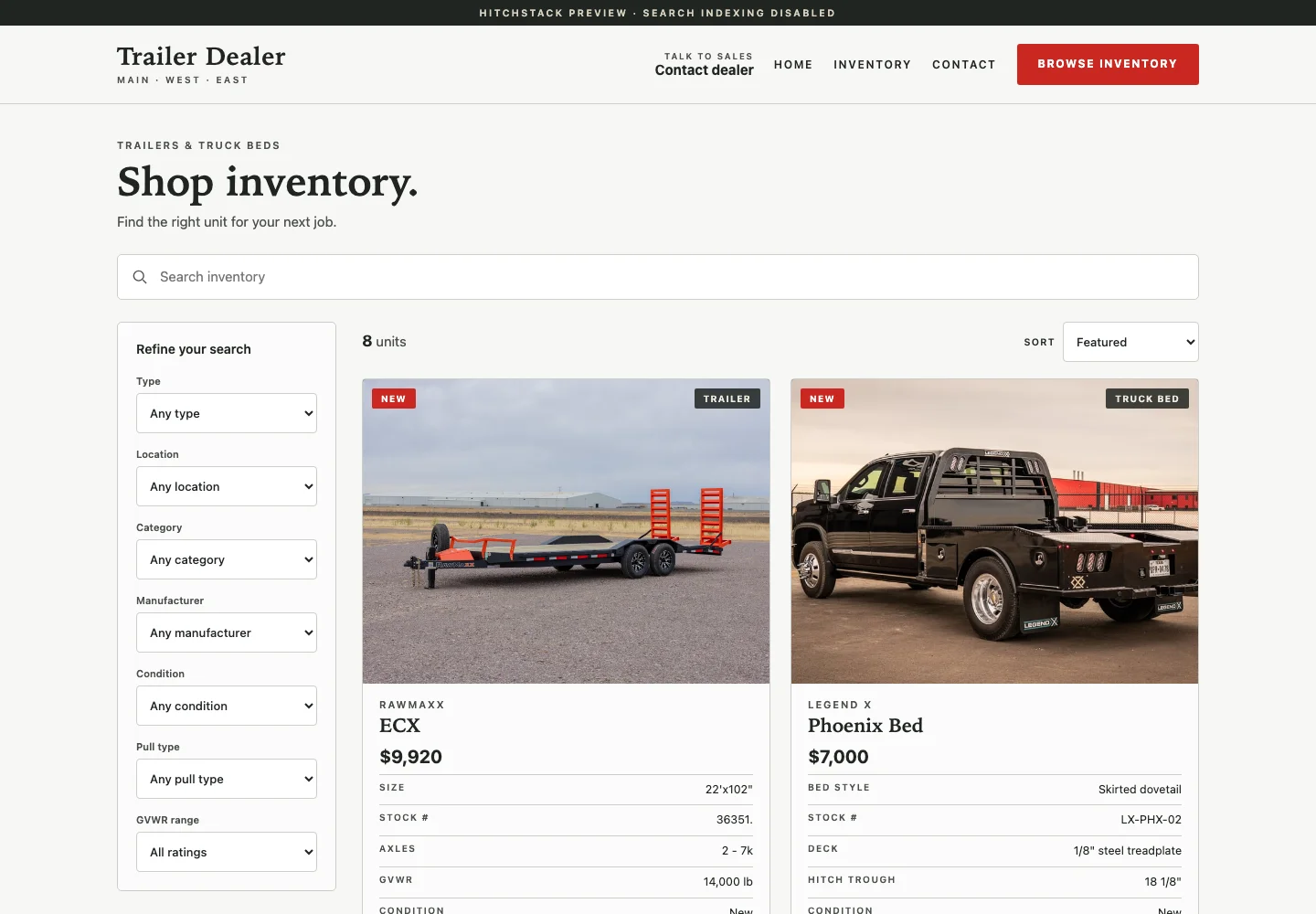
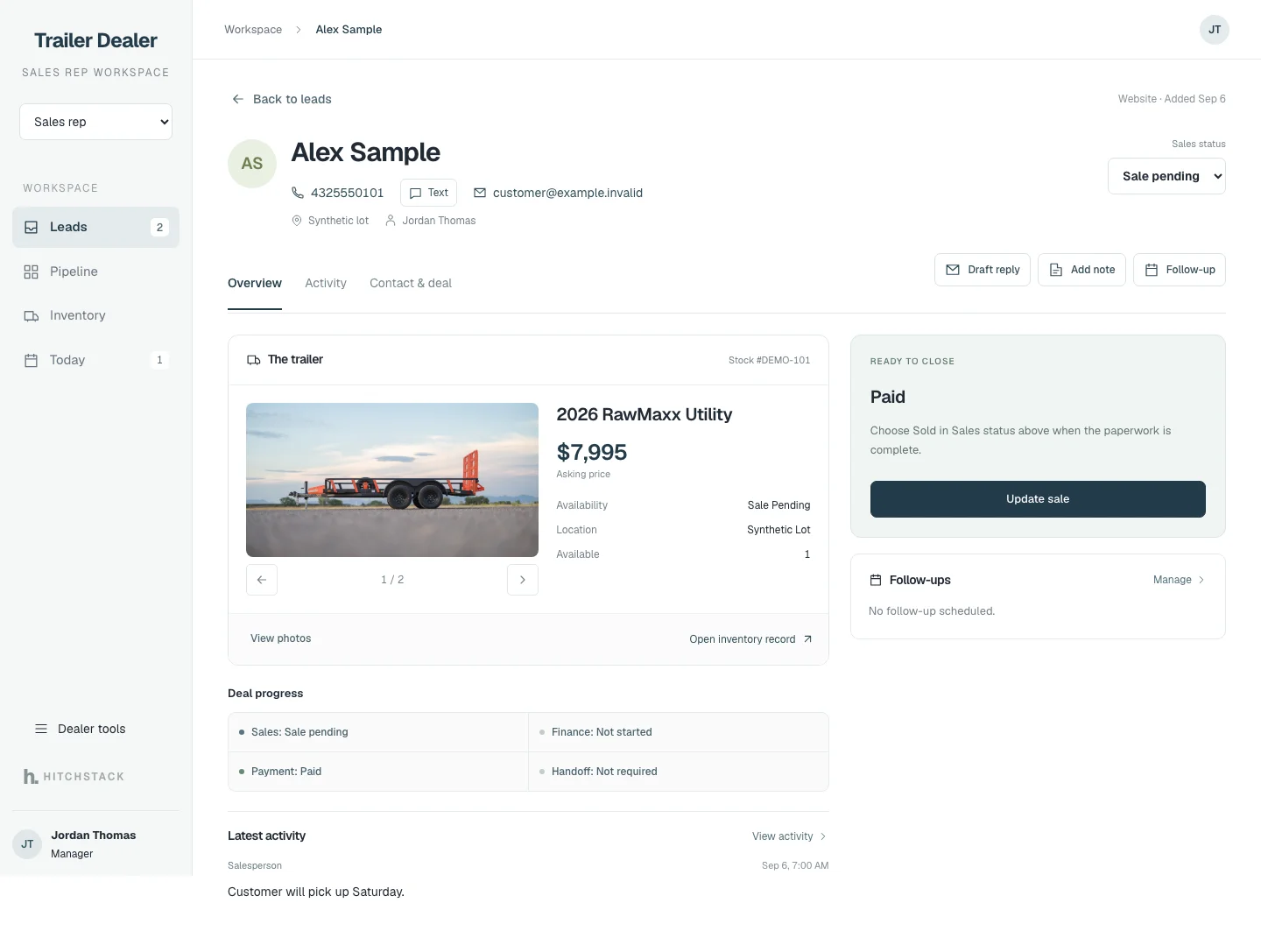
Examples from HitchStack’s product work · Illustrative and reference data · Not commissioned client case studies
The reason for a custom build
Your business has its own way of getting things done.
Maybe your website makes it hard to show what you sell. Maybe a spreadsheet has become the tool everyone depends on. Or maybe your sales, installation and delivery teams keep entering the same information in different places.
HitchStack starts with that specific problem. We map the work, define what needs to change and build a website or software tool around the people who will use it.
Show the business clearly.
Help buyers understand your equipment, services and next step.
Make the daily work easier to follow.
Give staff a useful place for information, responsibilities and progress.
Keep systems connected where it matters.
Define what data should move, which system owns it and what happens when a connection needs attention.
What we can build
A better website. A useful tool. A workflow that fits.
Four kinds of project, each scoped around your users, your data and the tools you already run.
-
Custom dealer and equipment websites
Give buyers a clearer view of what you sell and what your team can do.
Potential scope
- Brand and page design
- Inventory or product catalogs
- Equipment detail pages
- Service and installation pages
- Location information
- Quote-request flows
- Clear contact paths
Best-fit example
A trailer dealership needs a website that presents its inventory, locations and services as one clear shopping experience.
-
Internal tools and operations software
Replace an awkward handoff with a workflow your team can follow.
Potential scope
- Work queues
- Lead assignment
- Job intake
- Installation coordination
- Delivery readiness
- Status tracking
- Approval steps
- Manager dashboards
Best-fit example
A truck-bed installer needs sales, parts and installation staff to see the same job requirements and next step.
-
Customer, dealer and partner portals
Give the right people a clear place to find the information they need.
Potential scope
- Account-specific information
- Product documents
- Request forms
- Project status
- Dealer resources
- Controlled access by role
Best-fit example
An equipment business needs its dealers to access current product resources and submit structured requests.
-
Integrations and connected workflows
Help your existing tools work together where the connection is useful.
Potential scope
- Structured imports
- Supported API connections
- Website-to-CRM intake
- Inventory publication workflows
- Reporting exports
- Reconciliation tools
Best-fit example
A multi-location dealer needs a clear process for moving approved inventory information from its source system to the website.
Every integration starts with a review of the actual tools, available access and data requirements. Compatibility and delivery are confirmed in the project scope. These are project types to discuss, not features included in every platform setup.
Familiar business problems
Start with the work you want to improve.
Illustrative project scopes. The finished requirements depend on your business.
| Business | Example project to explore |
|---|---|
| Trailer dealership | Custom online showroom, inventory presentation and inquiry flow |
| Truck-bed dealer or installer | Product-fit inquiry, quote intake and installation handoff |
| Upfitter | Job requirements, progress tracking and handoffs between sales and the shop |
| Equipment dealer | Catalog browsing, quote requests and staff follow-up tools |
| Multi-location dealership | Location-aware inventory, lead routing and manager visibility |
| Equipment manufacturer or distributor | Dealer resource portal and structured partner requests |
Illustrative project scopes, not completed portfolio work or a list of platform features.
Relationship to the HitchStack platform
Use the platform where it fits. Build around the work that needs more.
The HitchStack platform brings inventory, dealer websites, yard photos and CRM workflows together. A custom project can address a more specific website, portal or operational need.
The first conversation helps determine whether your project should use the platform, stand on its own or connect the two. The scope makes that relationship clear before the build starts.
Explore the HitchStack platform| HitchStack platform | Custom project |
|---|---|
| A shared foundation for dealer inventory, websites and sales workflows | A defined website or software build around a particular need |
| Configured for the dealer’s team, locations and process | Designed around agreed users, requirements and acceptance |
| Product availability and onboarding confirmed in a platform conversation | Scope, price, timing and ongoing support agreed for the project |
How the project works
A clear process from the first conversation to launch.
Scope, timing, pricing and ongoing responsibilities are agreed for your project.
Understand the workflow.
Walk through the business, the users, the current tools and the part that needs to work better.
Define the build.
Agree on the pages or screens, data, connections, deliverables and what successful use will look like.
Design and review.
Review the structure and a working interface before details get locked in.
Build and test.
Exercise the real workflow, including permissions, form handling and the failure cases that matter to the project.
Launch with a handoff.
Put the agreed build into use and establish ownership, access, support and maintenance responsibilities.
What the scope should make clear
Know what you are building before the work begins.
A useful project scope makes the business goal and the finished result understandable to everyone involved.
- The people using it and the problem it solves.
- The pages, screens and workflows included.
- The data and tools it needs to work with.
- The review points and acceptance criteria.
- Hosting, access, ownership and ongoing support responsibilities.
Questions
Questions about custom projects.
If yours is not here, describe the problem on the contact page and we will take it from there.
Do you only work with dealerships?
HitchStack focuses on dealerships and equipment businesses, including trailer dealers, truck-bed businesses, upfitters, equipment dealers, manufacturers and distributors. That focus carries through both the platform and custom-build work.
Can we discuss a website without replacing all of our software?
Yes. Start with what the website needs to do and the systems your team already uses. The project scope identifies what stays in place and which connections, if any, are needed.
Can you build a tool for a process that currently runs in spreadsheets?
Yes. Bring the current process and the people who use it. The first step is understanding what the spreadsheet handles well, where it creates work and what a replacement should accomplish.
Can you connect our inventory system, CRM or other tools?
We can assess the connection as part of the project. Available APIs or exports, access permissions, data quality and the responsibilities of each system determine the approach.
Does a custom build have to use the HitchStack platform?
No. We work through whether a standalone build, the platform or a combination fits the project. That decision belongs in the scope before development starts.
How much does a project cost?
Pricing depends on the scope: pages or screens, users, data, integrations and ongoing responsibilities. Start with the business problem so the work can be defined and quoted clearly.
Who owns the finished work, and what happens after launch?
Ownership and licensing, hosting, access, maintenance and support are agreed in the project terms. Those details should be clear before work begins.

Start the conversation
What does your business need to do better?
Tell us about the website, tool or process you have in mind. A short explanation of the problem is enough to start.