
The connected platform

One view of your lot

Know what you have. See what comes next.

Bring units, photos, pricing and availability into one workspace. Give your team a clear view of what is ready to sell and what still needs attention.

Inventory · Dealer workspace
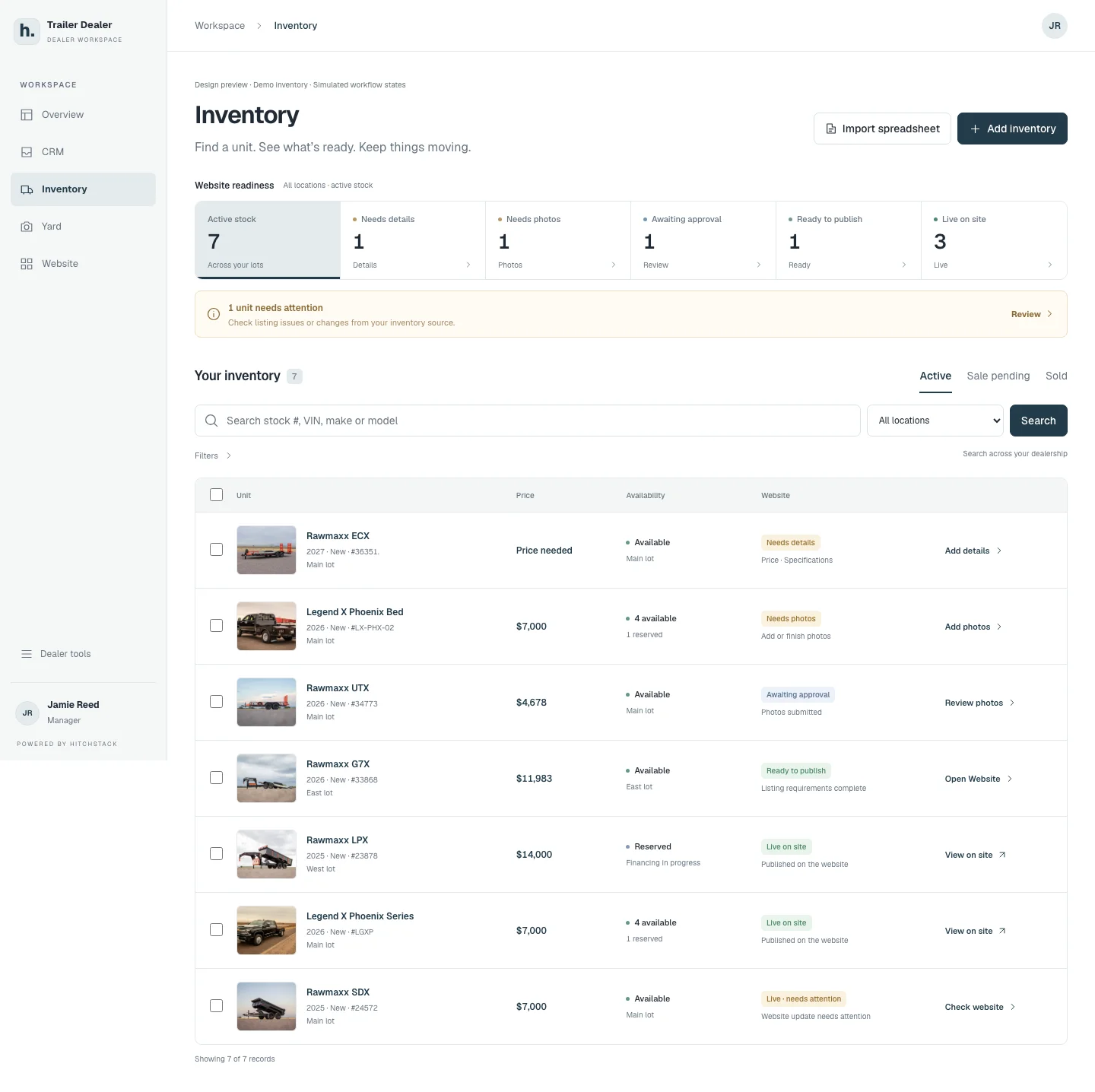
HitchStack Inventory workspace listing seven demo units with price, availability, website-readiness status and a next action for each, plus readiness counts across the lot.
Product interface preview · Illustrative data · Sept 24, 2026 demo capture
The same HitchStack inventory list at phone width, with each demo unit shown as a card with price, availability and website status.
Product interface preview · Illustrative data · Sept 24, 2026 demo capture

Built into the workflow

  1. 01

    Find the right unit.

    Search by stock number, VIN, make or model. Keep location and availability visible as your team works across every lot.

  2. 02

    See what a listing needs.

    Missing details, photo work, review and publication readiness stay connected to the unit. Availability and website readiness mean different things, and both stay visible.

  3. 03

    Keep stock connected to the sale.

    Track serialized units and quantity stock, receiving and reservations. Give staff a useful view of what is held and what is available.

The unit record

One record for photos, facts and the listing checklist.

Each unit carries its photos, description, key facts and a website checklist. When a photo set is waiting for approval or a price is missing, the record says so, and the fix is one step away.

  • Photos, key facts and description together
  • Website checklist with the items still to finish
  • Source identity: added in HitchStack or imported
Inventory · Unit record
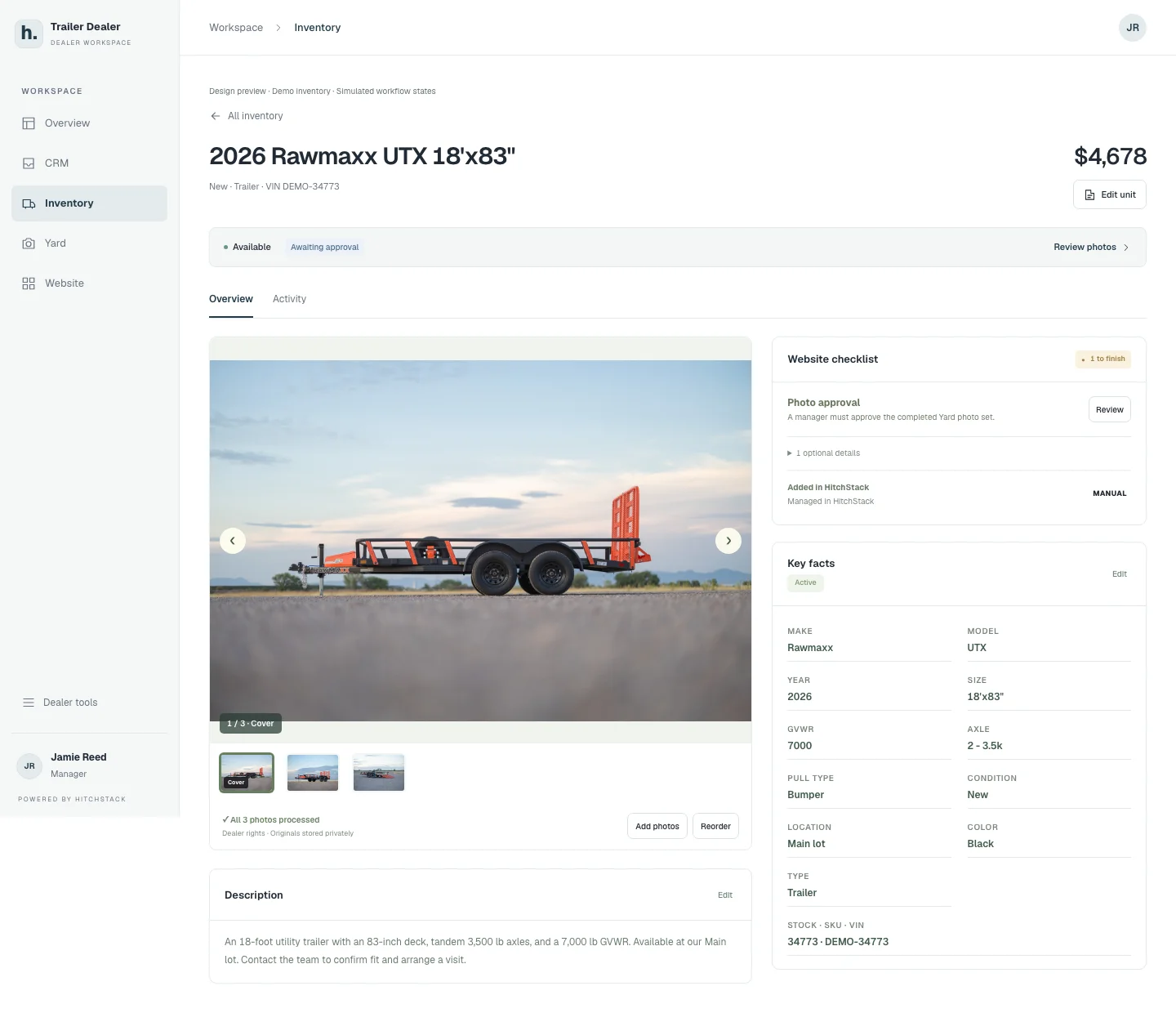
A HitchStack unit record for a demo 2026 Rawmaxx UTX trailer showing the photo carousel, description, key facts, and a website checklist awaiting photo approval.
Product interface preview · Illustrative data · Sept 24, 2026 demo capture

Imports and review

Bring stock in, then review it before anything changes.

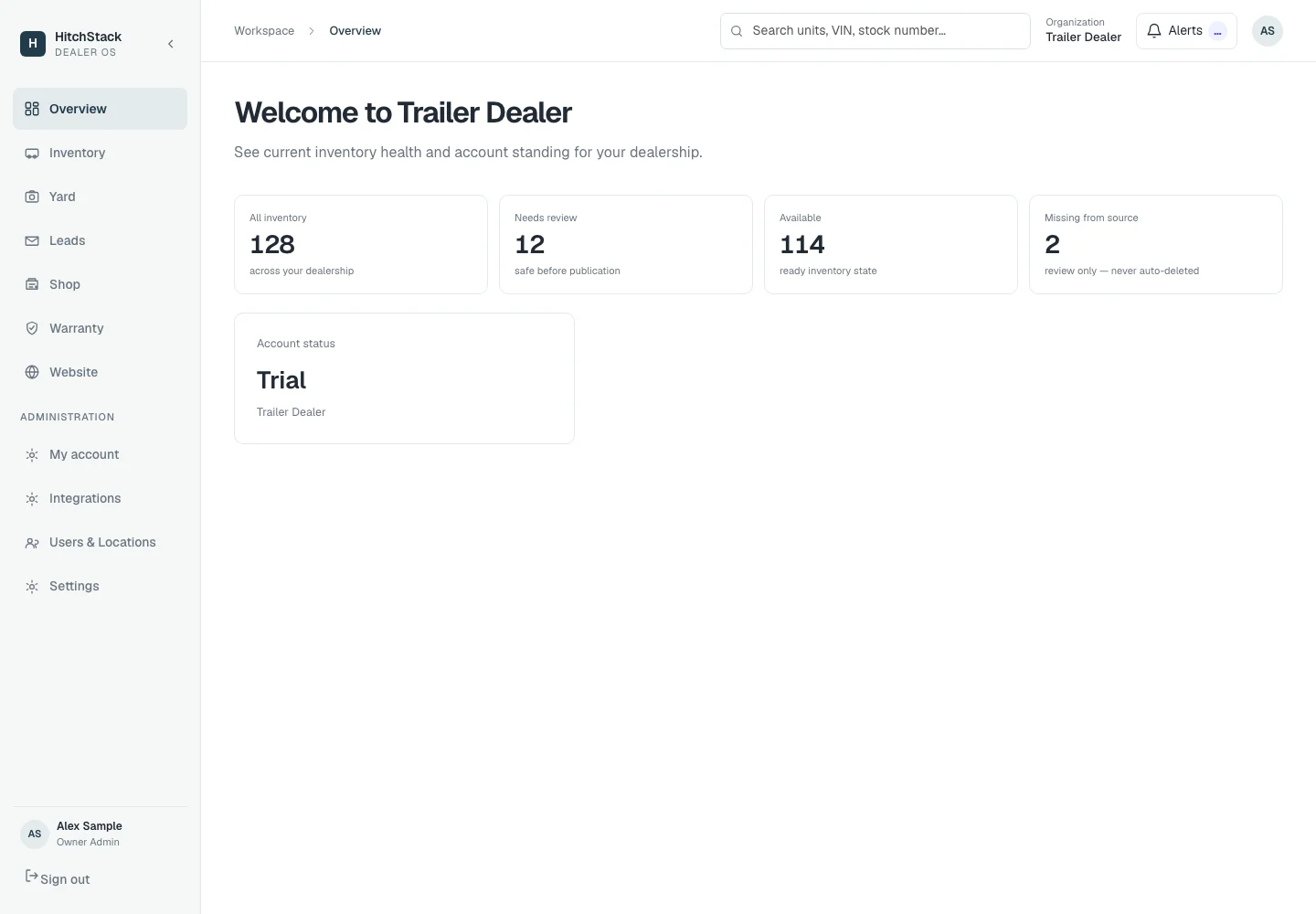
Import a spreadsheet and review the result before it touches the lot. Units missing from the latest source are flagged for review rather than removed. Counts like these give an owner a quick read on inventory health.

Import mappings and update rules are set up for your source during onboarding.

Dealer OS · Overview
HitchStack dealer overview with inventory counts for a synthetic dealership: all inventory, needs review, available and missing from source.
Product interface preview · Synthetic data · Sept 24, 2026 demo capture · Navigation items shown do not indicate included modules

On a phone

The same inventory, at the lot or at the desk.

The list, readiness states and next actions work at phone width, so a manager walking the yard sees the same picture as the office.

The same HitchStack inventory list at phone width, with each demo unit shown as a card with price, availability and website status.
Product interface preview · Illustrative data · Sept 24, 2026 demo capture

Where it connects

Photos belong to the unit. The listing follows it. So does the inquiry.

Yard photo sets attach to the unit record. The dealer website presents the unit’s published listing. When a shopper asks about it, the inquiry carries that unit into CRM.

What to expect

Inventory sources, import mappings and update rules are reviewed during setup. An integration available for one dealer does not establish compatibility with every inventory system.

Configuration and current product availability are confirmed in a sales conversation.

Talk to HitchStack

Let’s talk about the way your dealership works.

Walk through your inventory, website and sales process, or bring us the workflow you want to improve.